 DigUp
For team leads, project managers, QA and support
Your board, as a spreadsheet
Ticket trackers, project boards, help desks and dashboards: DigUp exports them the same way in every tool, including the views that have no export button. Free, no account, and nothing you copy leaves your browser.
Boards
A board becomes one table
Open DigUp on a board and it offers the whole board, not one column at a time: a row per card, with the column it sits in as the first column.
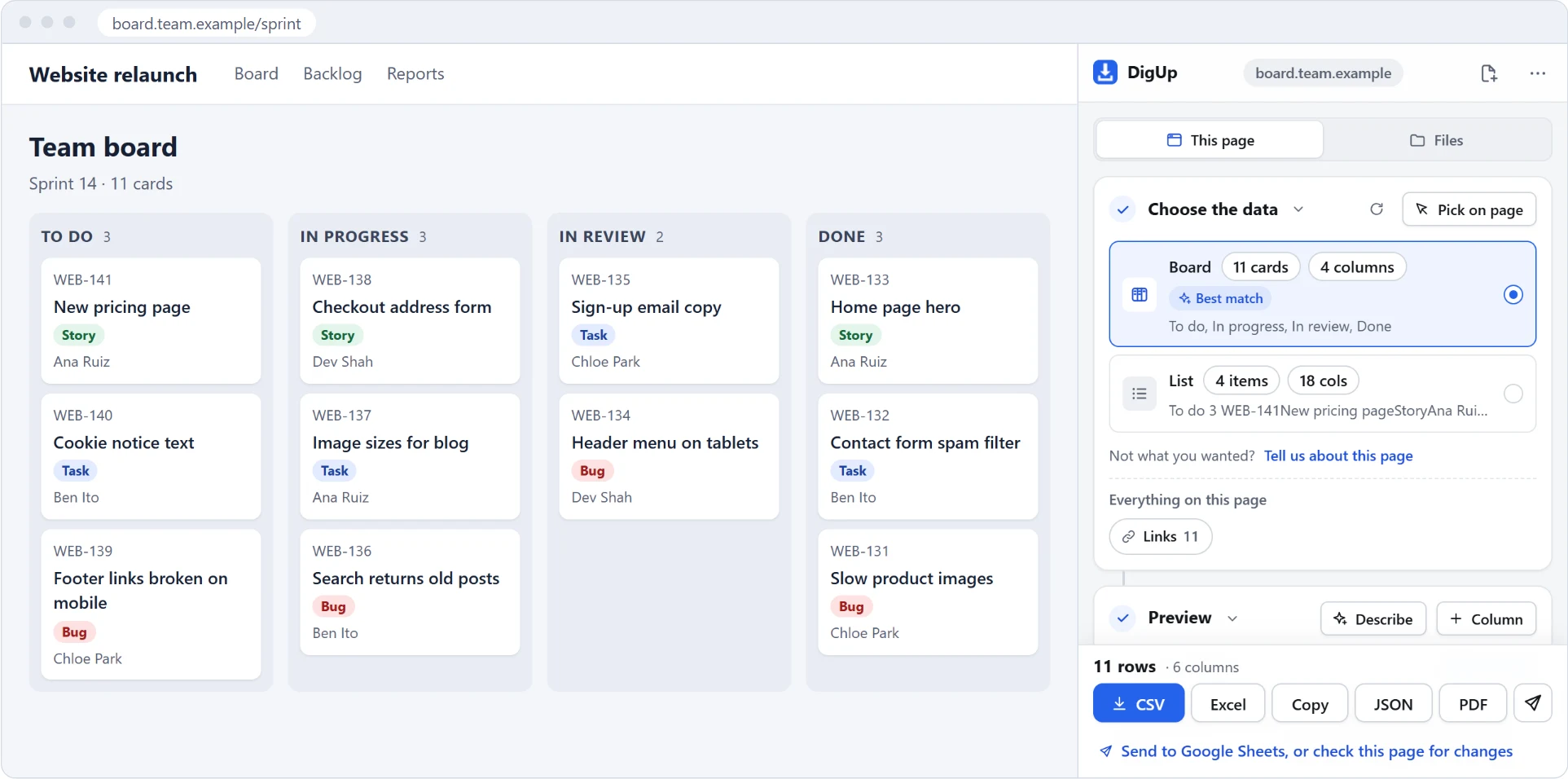
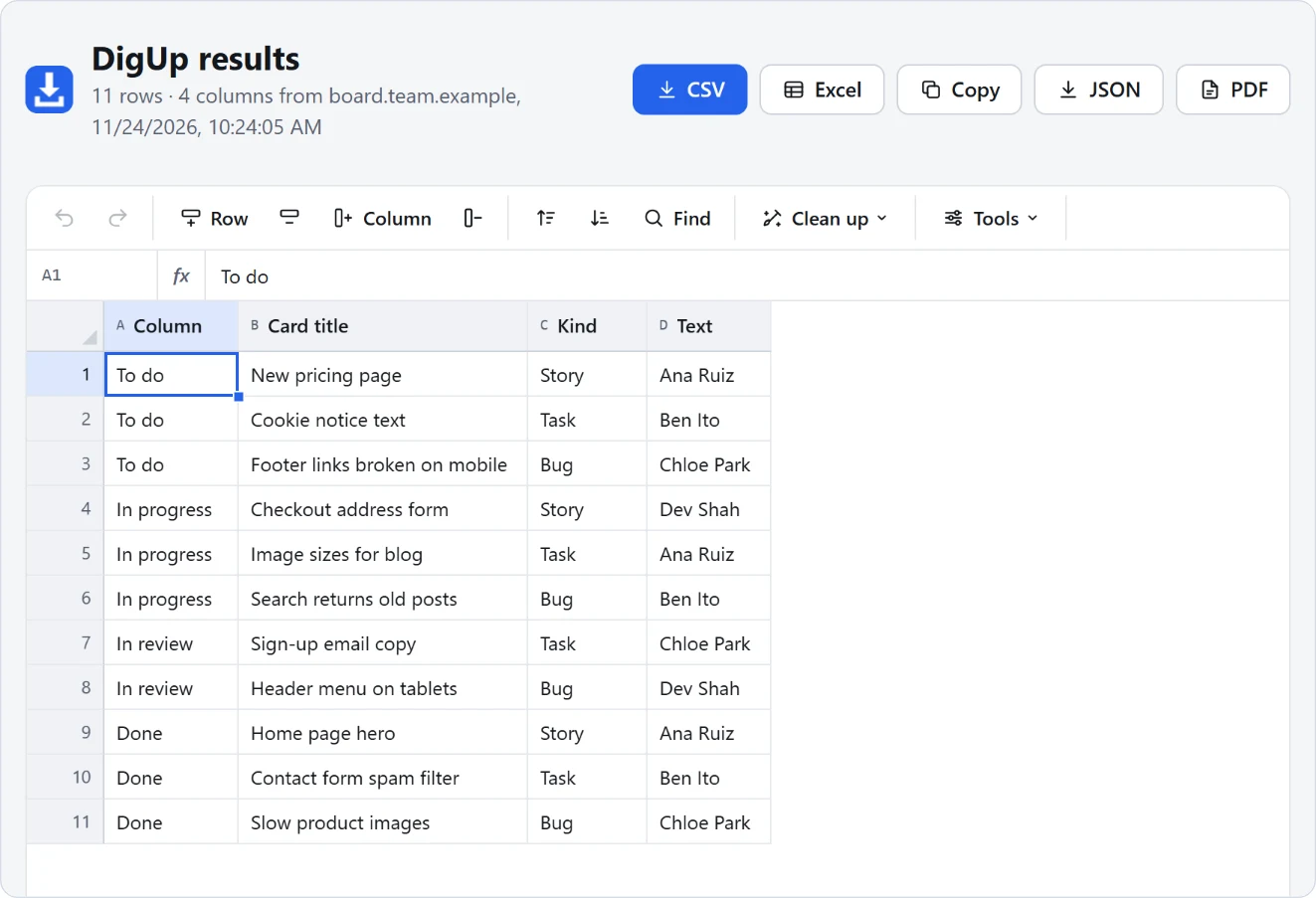
- Keep only the columns you want
- CSV, Excel, JSON, PDF or a new Google Sheet
Dashboards
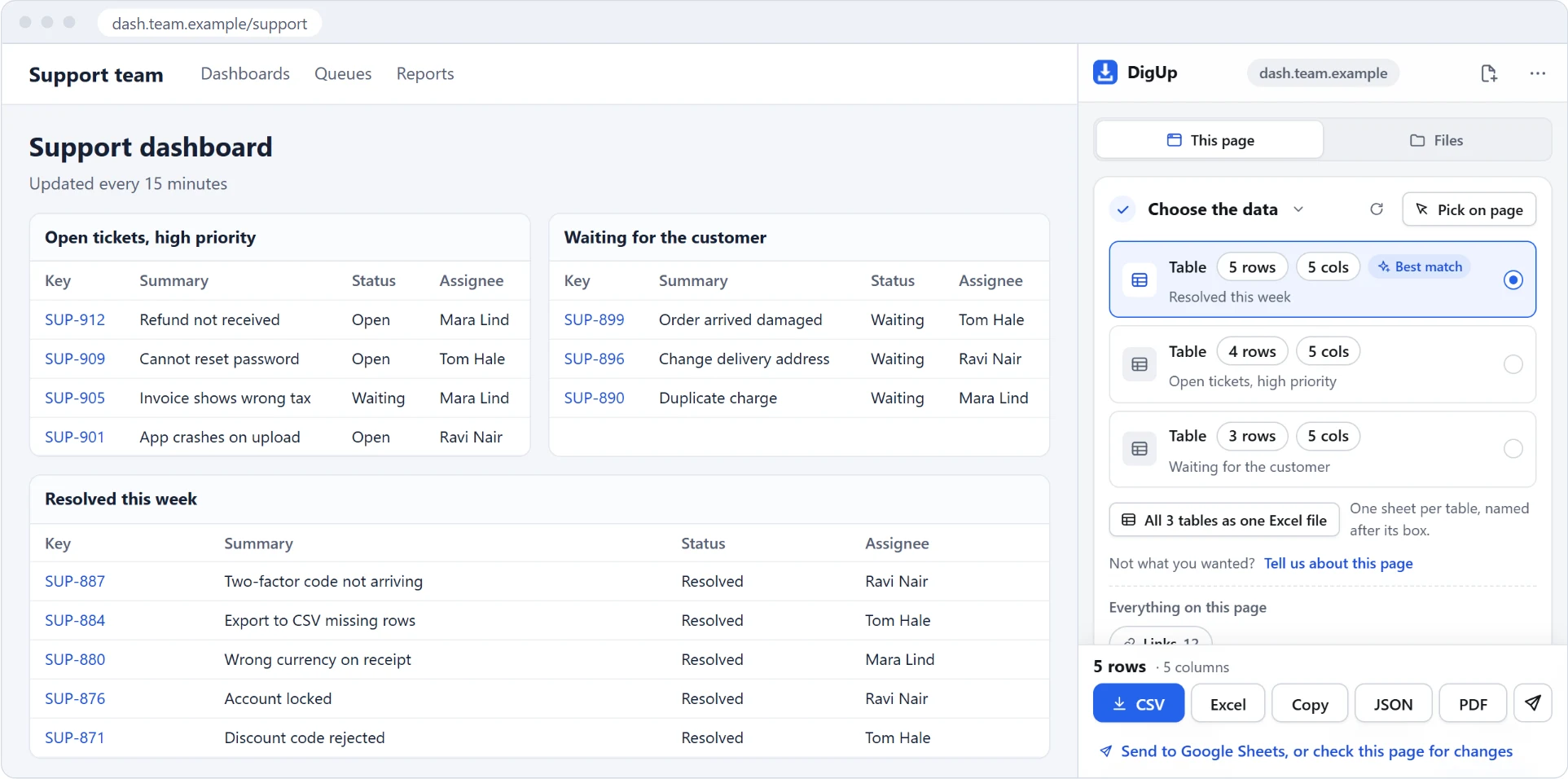
A dashboard becomes one Excel file
Every table on a dashboard is named after its box. Export the one you need, or all of them as one Excel file with a sheet per box.
The weekly status, without the copying
Set it up once. Next week it takes one click, or none.
- Run againOpen the same view next week and press Run again: the same columns in one click, with the new rows marked.
- One Google Sheet, kept up to dateTurn on a page check and DigUp updates the same sheet every 12 hours, every day or every week.
- A dated file each timeOr save a dated Excel or CSV file after each check, so last month's status is still there.
Checks run while Chrome is open, and a missed check runs when Chrome starts again.
Made for the people who live in these tools
- Team leadsThe board, as a sheet, for the weekly meeting.
- Project managersBacklogs and sprint boards next to your plan.
- QABug lists with status and assignee, ready to sort and filter.
- SupportQueues and resolved tickets for the weekly report.
Good to know
- DigUp reads the page you have open, with your own sign-in. It never signs in for you and never gets past a sign-in page.
- The rows you copy stay in your browser, unless you send them to a Google Sheet or a webhook you chose.
- Some tools draw only the rows you can see. When DigUp suggests Infinite scroll, turn it on to collect the rest.
- Please respect each website's terms of use, and your company's rules for its data.
Try it on your own board
Free, no account, ready in seconds.