 DigUp
Any page with a table or a list
Website to Google Sheets
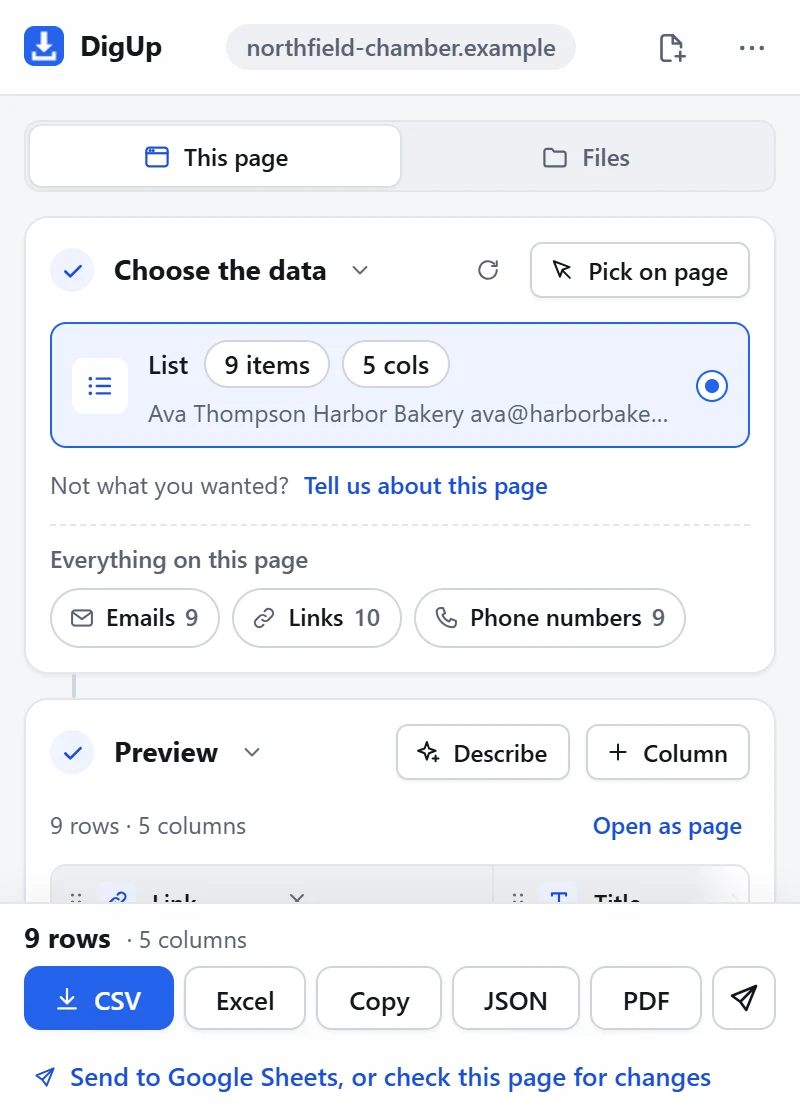
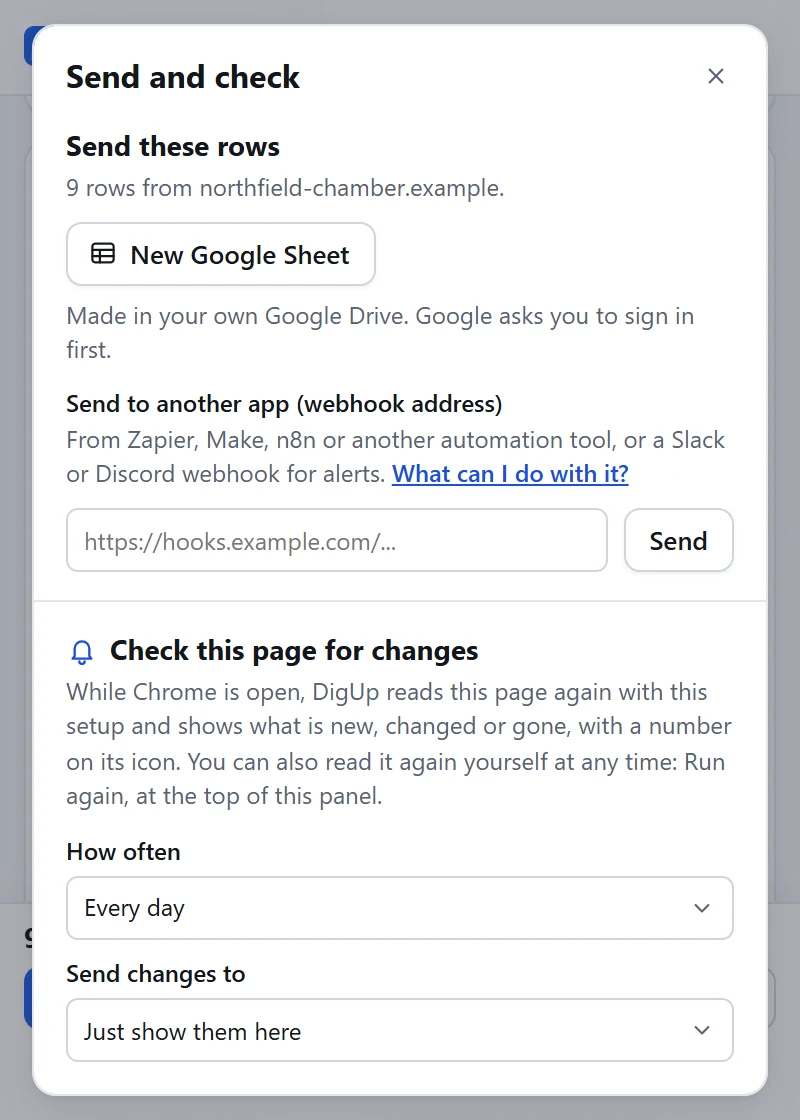
DigUp finds the table or list on a web page and sends every row to a new Google Sheet in your own Drive. It can keep that sheet up to date with a page check. Free, no account.
What you get
How to do it
Three steps, a few seconds.
- Open the pageClick the DigUp icon on any page with a table or a list, or press Alt+Shift+D.
- Keep the columns you wantDigUp names the columns. Keep, rename or reorder them.
- Send to Google SheetsPress the send button, then New Google Sheet. Or press Copy and paste into a sheet you already have.
Good to know
- DigUp only sees the sheets it creates in your Drive.
- A page check can keep the same sheet up to date every 12 hours, every day or every week, while Chrome is open.
- Please respect each website's terms of use.